
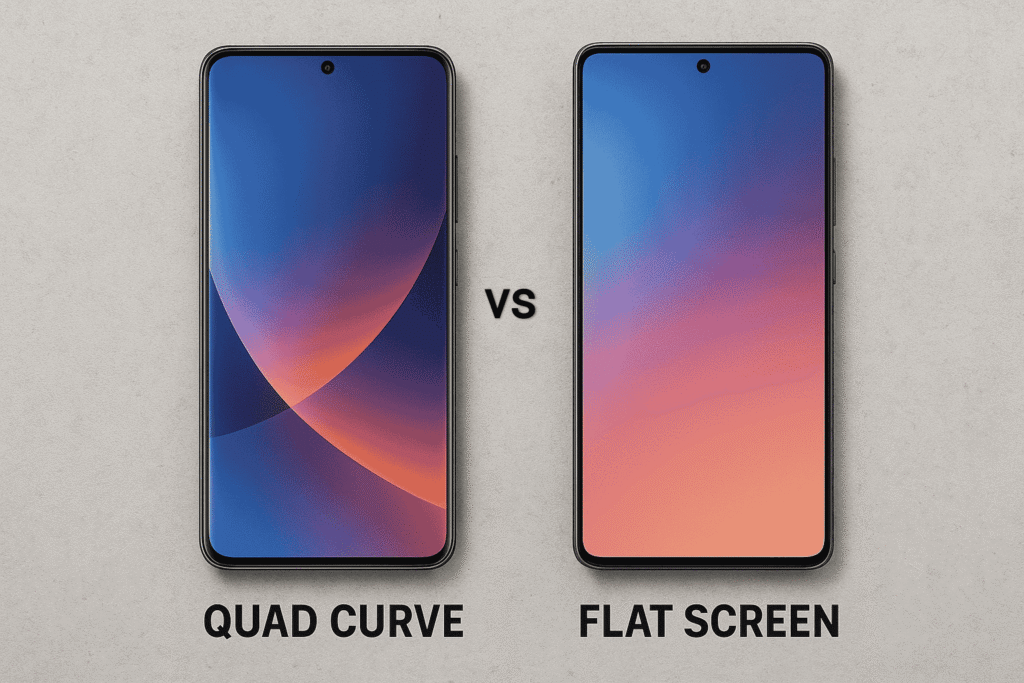
You’re in the checkout line, thumb hovering over “Buy now.” The spec sheet looks perfect—flagship silicon, big battery, killer price—until you notice it: the display is quad-curve. You remember the sleek look, the way light slides off the edges… and also that time a tempered glass protector bubbled along the curve and your palm kept triggering back gestures. Do you go for the drama of curved glass or the control of a flat slab?
Below is a field guide to help tech-savvy buyers (that’s you) choose the right screen shape based on real-world usability, durability, and day-to-day experience—anchored in market data, reviews, and tests.
The market mood: flat is back (with receipts)
- Reader polls consistently favor flat displays. In a 2023 Android Central poll (3,700+ votes), ~84% preferred flat over curved.
- Android Authority’s 2022 poll (14,000+ votes) found only ~20% liked curved screens; top complaints were accidental touches, durability, and screen-protector hassles.
- Manufacturers are listening: Samsung’s Galaxy S24 Ultra “finally ditches the curved edges… in favor of a flat screen,” and reviewers specifically call out fewer accidental S-Pen edge slips. Google’s Pixel 8/8 Pro also moved to fully flat displays.
Bottom line: The 2024–2025 flagship trend leans flat for usability—without giving up premium feel.
Usability: touches, gestures, glare, and accessories
Accidental touches & edge behavior
Curved edges expand touchable area into the sidewall, which some users love for swipe-back “feedback,” but many report more stray touches. Android 11 even added APIs to constrain interactive areas around curves—a tacit acknowledgement of the issue.
Screen protectors & cases
Flat screens win for accessory fit. Protector alignment and long-term adhesion are more reliable on flat glass; community threads routinely cite curved-edge pain points.
Glare and edge distortion
Curves can catch light and introduce reflections/warping near the bend; multiple reviewers called this out through the S23 era. Flat panels reduce these artifacts.
Who might still prefer curves?
Aesthetics and “immersive” feel, plus a pleasant edge glide for gesture navigation, remain drawcards for some power users. If you prioritize design flair and enjoy the feel of edge swipes, curves can be delightful.
Durability & repair reality: glass meets gravity
- Drop vulnerability: Wraparound glass can expose more edge area. When SquareTrade drop-tested Samsung’s wraparound-glass Galaxy S8/S8+, the phones cracked “on the first drop on all sides” and were labeled highly breakable; mainstream coverage echoed the result. While methods vary and all-glass phones are fragile, this is a cautionary data point for aggressive curves.
- General 2023–2024 drop tests: Even with tougher glass, premium phones (flat or curved) often show damage after a single 6-foot sidewalk drop—so protection still matters either way.
- Repair complexity: Curved OLED assemblies can be harder to service; “glass-only” edge repairs are finicky (specialized tools/skill) and many shops replace full assemblies—usually pricier than flat counterparts.
Practical take: If you go case-free or are tough on phones, flat screens generally pair better with protective cases and glass protectors and may be less costly to sort out if disaster strikes.
Gaming, typing, and stylus work
- Precision inputs: Flat panels provide uniform edge response—useful for shooters, rhythm games, and edge UI elements. Reviewers noted fewer stylus “fall-offs” when Samsung flattened the S24 Ultra.
- Typing & swiping: Some users find curved edges increase palm rejection incidents during fast typing; polls and comments highlight this as a frequent annoyance.
Battery life or brightness? Not really a curve vs flat issue
Brightness, LTPO power savings, PWM dimming—these come from the panel and driver tech, not the shape. You can get stellar or mediocre results in either form depending on the specific phone. Choose the model, not the geometry, for these attributes. (See device reviews for the exact panel performance.)
Decision framework (20–40, research-mode buyers)
Choose a flat screen if you:
- Use tempered glass protectors and rotate cases often.
- Hate accidental edge touches or visible edge glare.
- Want the broadest accessory compatibility and potentially simpler repairs.
Choose a quad-curve if you:
- Prioritize design and “waterfall” aesthetics and enjoy edge gesture feel.
- Rarely use glass protectors and keep a slim case (or none).
- Don’t use a stylus near the edge and can live with occasional palm rej.
How VisionTech Mobile can help
At VisionTech Mobile, we guide you through hands-on comparisons—checking edge glare under store lighting, trying your preferred grip/gestures, test-fitting protectors/cases we stock, and mapping your use (gaming, stylus notes, commute reading) to specific models. We’ll show durability data and real owner feedback, then price-match and bundle the right protection so you get the best value and long-term satisfaction—regardless of whether you go flat or curved.
The verdict
For most buyers today, flat screens deliver the best balance of usability and practicality, reflected in strong user preference polls and recent flagship shifts. Quad-curve still has a place for design-first users who love that edge-to-edge vibe and gesture feel—but expect more fuss with accessories and potentially higher repair complexity if things go sideways. With your priorities in mind—precision input, accessory friendliness, and durability versus aesthetic flair—which side of the glass will you choose?