
So guys, Color OS 17 is coming, and not just to Oppo, but also to OnePlus and Realme phones. I’ve fully tried the beta version of ColorOS 17 on OnePlus, and there’s a lot of new things. Meaning, it’s much smoother and more bouncy, and the animations flow seamlessly, not just smoothly. It also looks better. If you notice, the elements have become much softer, and there’s a unique glow effect when you touch them. And some new features that weren’t in ColorOS 16 are now in ColorOS 17. So, in this blog post, I’ll tell you two things: what’s new in ColorOS 17, and when will which phones get this upgrade? Whether they’re OnePlus or Oppo.
Look and Feel
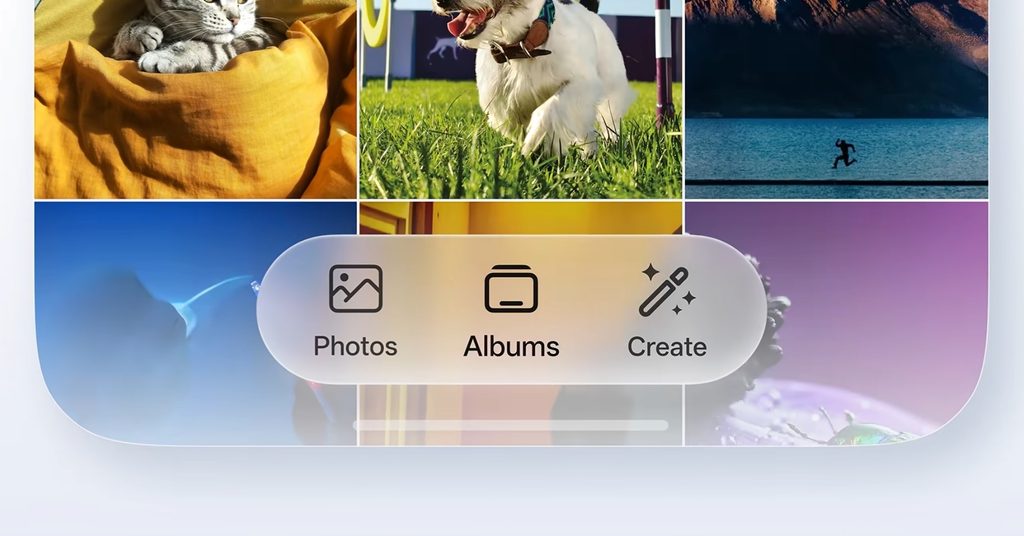
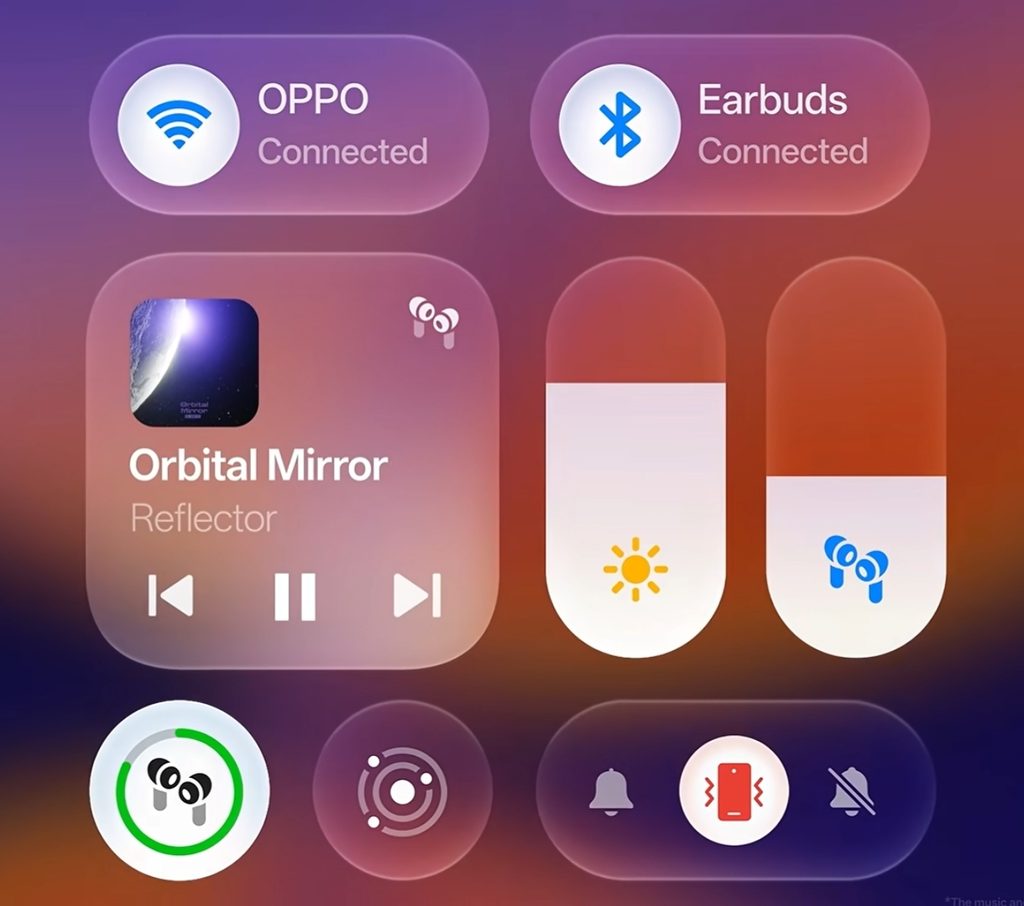
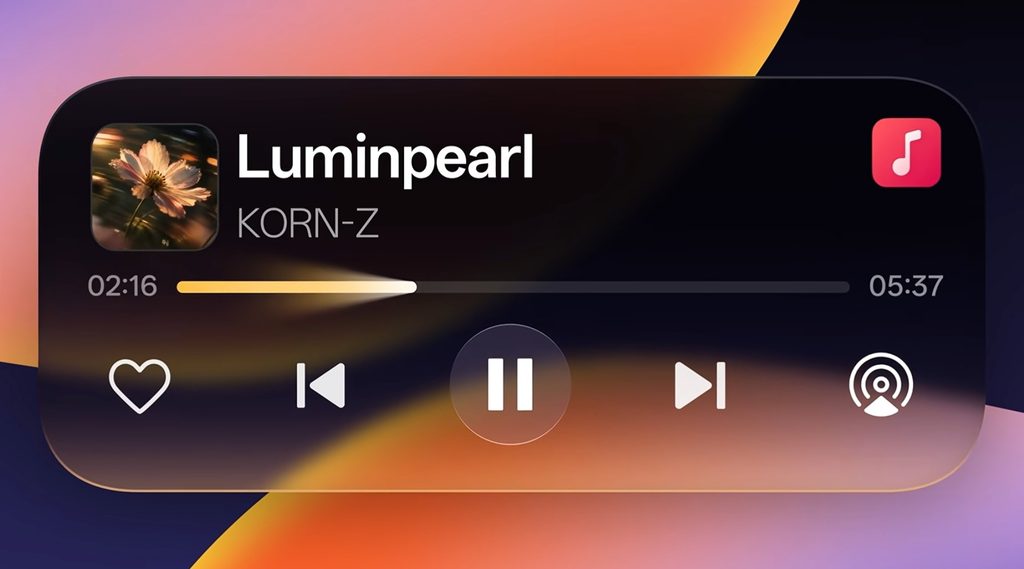
Let’s start with the look and feel. First, a subtle glow effect has been added to the UI elements, over a translucent, soft texture. Like this music card. So if I touch the progress bar, you can see that there’s a luminescent effect or glow effect in the background. And if I shift to the next track, there’s a glow effect. And this glow effect is visible everywhere in the entire UI. In fact, even the interaction with the flashlight, when I turn it on or off, has a glow effect.
Now, look, ColorOS 16 was quite fluid, but they’ve tried to make ColorOS 17 even more fluid. For example, the transition from the Always On Display to the lock screen and then from the lock screen to the home screen is a single fluid motion. And if you apply different themes, the lock and unlock effects are all very smooth. And as I said, you see it everywhere, even if you look in different apps, this effect is maintained. And they’ve now added a bounce effect to some elements. For example, if I shift from the Control Center to the notification panel, you’ll see a rebound effect in the elements. Or suppose I open this menu and as I scroll through the options, you’ll see that there’s a rubber band effect throughout the menu.
Or when I open this sidebar, you’ll see that there’s a very elastic effect. Or when I accept a call, look at the nice bounce effect on the reject button. So clearly, a lot of work has gone into the UI. The way elements react to touch has also been worked on. And this is something I’ve only seen in ColorOS on Android so far, and otherwise, on the iPhone. But it’s good to see that ColorOS has done this.
ColorOS 17 AI Features
AI Mind Pilot
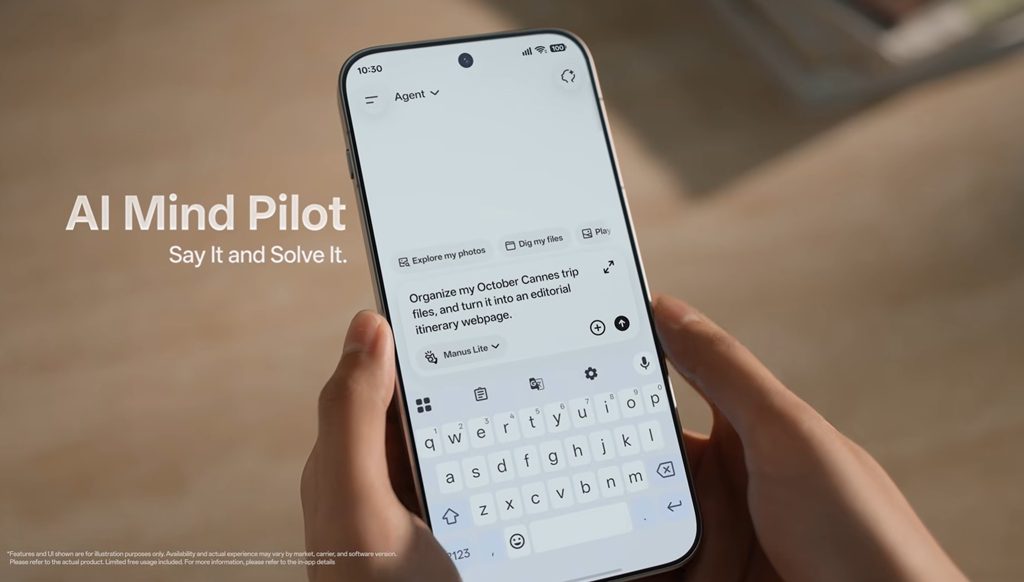
AI Mind Pilot is one of the larger additions to OPPO devices. This feature has an agent mode that will allow users to complete tasks instead of just answering questions. According to OPPO, AI Mind Pilot will be able to interact with photographs and other file types stored on the device, search for information from multiple sources, organize files, and generate new content based upon existing data. Examples include creating a webpage or a travel itinerary.
Think of all the files you create when planning your next trip – screen shots, booking information, saved places on maps, photos, etc. Finding them all again can be a real pain. An AI assistant that is able to find these files for you and then organize them into categories would help to save you a lot of time as long as it does so in a reliable manner and with the appropriate permissions.
These are only announced features. Your actual experience with them will depend upon several factors such as what type of phone you have, where you live, which apps can be used with them, and what version of software you have installed.
AI Photo Agent
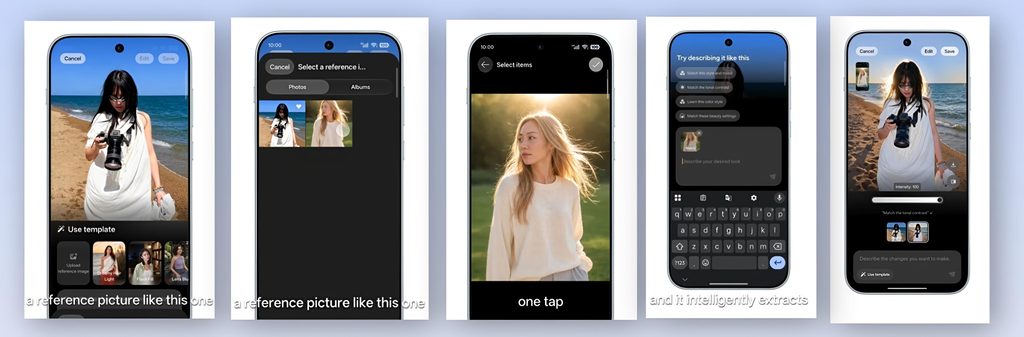
Image Credit: Oppo
Now, when it comes to editing your photos, that has also gotten a lot easier with ColorOS 17 because when you jump into the photo editing page, you can tap on AI Editor, and there’s a new feature called AI Photo Agent. In that menu, you can just describe and type out what you like to change in that photo supernaturally. Like you can just talk to it like a friend, and then you can remove things from the background, maybe add clouds to the sky, or just change things that you don’t like about the photo.
Even cooler, you can import one of your past photos so that you can use that as a reference for where you’re trying to make your current photo look like. So, you can have it borrow the same type of lighting, the color, or skin texture, whatever you’d like. It just makes editing your photos just feel extremely natural and effortless, so you don’t need to be a genius or a Photoshop expert. But even cooler, you can also use their templates, too, to just help you improve your photos with one tap. Like they have some that can improve the lighting. There are others that just retouch the subject’s face to make their skin glow or make them look more natural. Just random things that you may want to add to your photos to fix them up quickly and make them look even better—very effortless. It’s honestly been really nice editing photos in this update.
AI Mind Space and OSee
The AI Mind Space is capable of saving video links and documents and converting them to memories which can be searched. Suppose you saved three articles and five videos from your journey, then you can group them and devise a plan based on them.
OSee is the visual one, as with a simple click the camera captures what you intend to take a picture of, helps you identify it, and connects you to related services. It is capable of recognition, translation, scanning, and even nutrition analysis.
Moreover, there is the AI Live Interpreter, which allows translation of conversations with the help of special headphones, AI Mind Suggest, which provides daily news briefings, travel maps, and the like.
Privacy and Security
As you use more AI, you’ll have more questions about what happens to your data. OPPO has come up with a solution called Private Computing Cloud that protects your privacy through end-to-end encryption and blocks third-party access to your data, including OPPO. The Private Computing Cloud Transparency Report provides details on when and how each of the AI services were accessed.
In terms of scam protection, AI Call Guard has on-device artificial intelligence that monitors each call in real-time to identify potential fraudulent activities. Additionally, it identifies AI-generated voice patterns in phone conversations and altered facial expressions in video calls. This will be very beneficial for those whose parents/grandparents receive calls from what they believe to be their bank.